
Comprehensive online comparison of single-cell datasets in scALABLE
Aligns single-cell datasets to a reference atlas, provides an interactive Explore workspace for UMAP and gene-expression review, and supports group-based differential analysis in a dedicated Differential workspace. The app also performs cell-communication analysis, reporting ligand–receptor evidence per cell state.
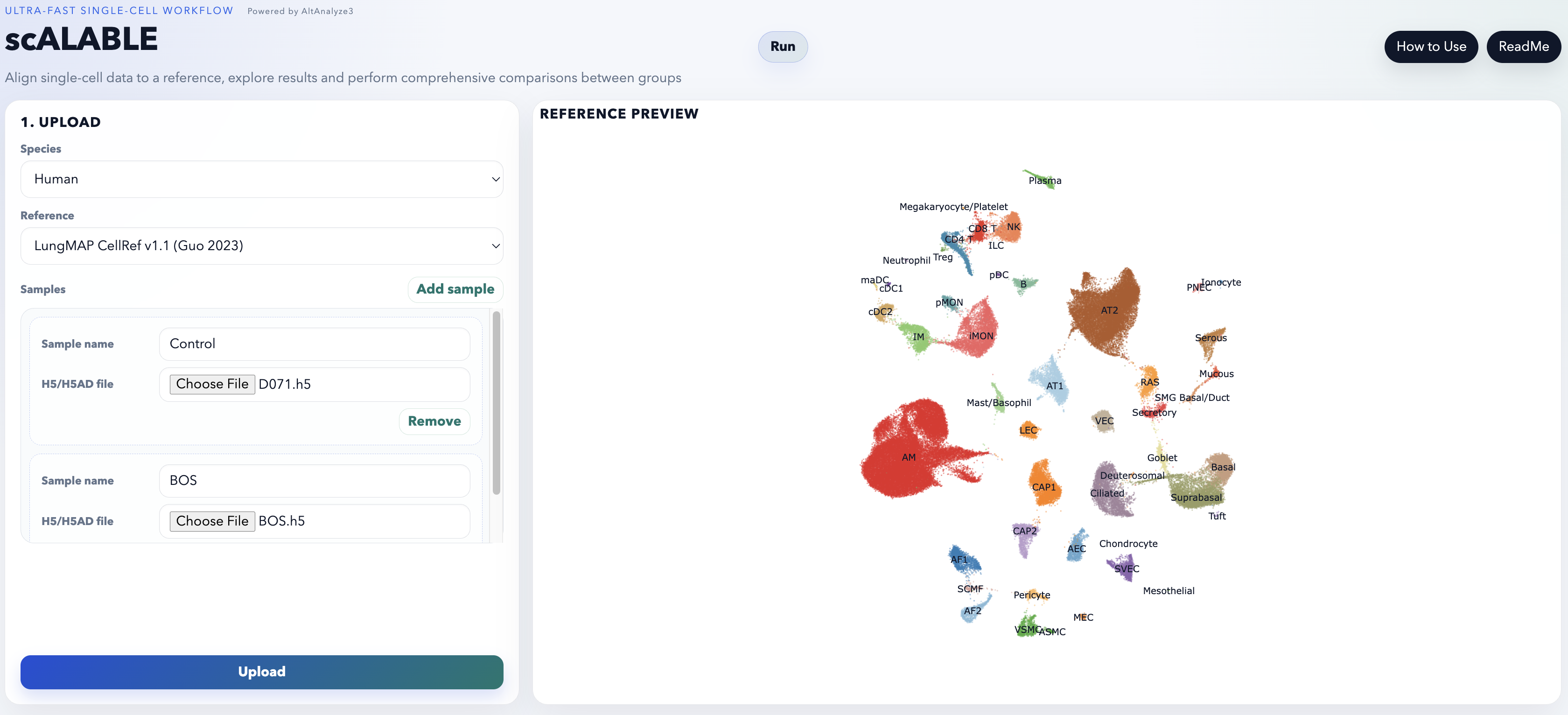
Accepted inputs
Upload one file per sample. Maximum 7 files per job, 1 GB per upload.
| Format | Source |
|---|---|
.h5 | HDF5 count matrix from a standard droplet workflow |
.h5ad | AnnData, as written by scanpy |
Behaviour by input type
- multiple
.h5files support group-based differential analysis - a single
.h5adalso supports it when the.obsmetadata contain multiple biological groups - a single
.h5upload does not enable group differential analysis
.obs metadata from
uploaded .h5ad files are preserved and reused for Explore tab filtering,
Differential cell-state selection and Differential biological-group selection.Interface
Run
- upload files
- configure QC and alignment
- review the reference preview before upload
Explore
- inspect aligned UMAPs
- inspect gene expression by UMAP or violin plot
- review marker heatmaps and marker networks
- run cell-communication analysis (ligand–receptor evidence per cell state)
- download assignments, the combined h5ad and marker ZIP outputs
Differential
- compare biological groups after alignment completes
- inspect heatmap, volcano, network, GO terms and gene detail views
Chat
- dynamically generate plots
- compare across modalities
Alignment workflow
- choose Species
- choose Reference
- add one or more samples
- upload files
- review QC settings
- click Save QC and run
When alignment completes the app switches to Explore and results become available immediately. If the job supports grouped comparisons, the Differential tab becomes usable. Marker analysis (markerFinder, NetPerspective networks, heatmap PDF and TSV exports) is always run after alignment.
QC and alignment settings
| Min genes | per-cell gene floor |
| Min counts | per-cell count floor |
| Min cells | per-gene cell floor |
| Mito % | mitochondrial ceiling |
| Minimum cosine similarity | alignment confidence floor |
| Ambient RNA correction | No / Yes |
References and optional modality imputation
CellRef2.0 is the default human lung reference. All human lung references support imputation of ADT, lipids and GRN; choose an imputed modality in the QC step when needed. The default is none.
| Human reference | Imputable |
|---|---|
| CellRef2.0 (default) | ADT, lipids, GRN |
| LungMAP CellRef v1.1 (Guo 2023) | ADT, lipids, GRN |
| Lung HLCA (Sikkema 2023) | ADT, lipids, GRN |
| Lung ILD Atlas (Natri 2024) | ADT, lipids, GRN |
| BPD Atlas (Sun) | ADT, lipids, GRN |
| Bone marrow CITE-Seq (Zhang 2024) | ADT, metabolites, lipids, GRN |
| Mouse reference | Imputable |
|---|---|
| LungMAP CellRef v1.0 | — |
| LungMAP Adult Lung/Airway v1.0 | — |
| Lung Regeneration-Infection (Niethamer 2025) | — |
| Bone marrow CITE-Seq (Ferchen 2025) | ADT |
Method detail: cellHarmony technology and workflow · differential methods, defaults and filtering